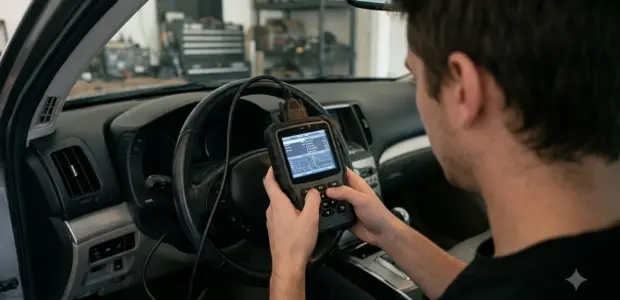

A Honda Pilot oil life reset takes about a minute: hold ENTER for about 10 seconds on the Oil Life screen, then choose the item and press ENTER again. The Maintenance Minder keeps tracking engine oil life until you reset it after service.
Read the percentage first, because it tells you which warning is showing. The steps below follow Honda’s 2022 Pilot manual, and older screens are covered near the end.
What the Oil Life Percentage Means
The Pilot shows engine oil life as a percentage, and the Maintenance Minder warns you at 15%, at 5% and once the oil is past due. Before any Honda Pilot oil life reset, check which message is showing so you know how urgent the service is. Honda’s 2022 Pilot Maintenance Minder guide describes the calculation: remaining oil life is based on engine operating conditions and shown from 100% down to 0%.
- Maintenance Due Soon at 15%: oil life is 15 to 6 percent, so plan the service soon.
- Maintenance Due Now at 5%: oil life is 5 to 1 percent, so have the service done as soon as possible.
- Maintenance Past Due: the oil life has passed, and a negative distance appears after you drive 10 miles (US) or 10 km (Canada).
The Due Soon message goes off once you switch the display, but the manual ties the oil life figure to the reset you make after service. That is why a Honda Pilot oil life reset matters: the warnings are only as accurate as the last reset you made.
A Honda Pilot oil life reset only makes sense when the percentage matches the work you did. If the number looks wrong after an oil change you did yourself, the fix is to reset the display rather than guess at the remaining oil life.
When to Reset After an Oil Change
Reset the oil life every time you change the engine oil yourself, because the manual says the display will otherwise show incorrect maintenance intervals. A dealer normally resets the Maintenance Minder after the required service. If someone other than a dealer performs the maintenance, the manual tells you to reset the display yourself. A rival crossover is covered in Toyota crossover maintenance reminder.
A do-it-yourself oil change is the most common reason for a manual reset, so plan the Honda Pilot oil life reset right after the new oil goes in. Do the reset only once the service is finished, not before you start draining the old oil.
The main items are A, which means replacing the engine oil, and B, which means replacing the engine oil and oil filter and inspecting the brakes, steering, suspension, fluids and exhaust. Sub items such as tire rotation, air cleaner element, spark plugs, engine coolant and brake fluid appear on the same screen when they come due. The manual lists brake fluid for replacement every 3 years, independent of the Maintenance Minder.
On US models, the manual adds a yearly rule: if the Maintenance Due Now message does not appear more than 12 months after the display is reset, change the engine oil every year. Drivers in dusty conditions should replace the air cleaner element every 15,000 miles, according to the same guide.
Keep a short service log with the date, the mileage and the items you serviced. When you come back for the next Honda Pilot oil life reset, the log tells you which items are truly due and which ones you already cleared. Your log is also the quickest way to check a Honda Pilot oil life reset you did months earlier.
Honda Pilot Oil Life Reset Steps
On the 2022 Pilot, the reset starts with a 10-second ENTER hold on the oil life screen, then you pick the item and press ENTER to confirm it. Use this sequence from the manual when the service is done, and keep the engine oil life screen open while you work through it.
- Set the power mode to ON.
- Display the engine oil life screen.
- Press and hold the ENTER button for about 10 seconds to enter the reset mode.
- Press the up or down button to select a maintenance item to reset, select All Due Items, or select Cancel to end the process.
- Press the ENTER button to reset the selected item.
- Repeat step 5 for any other items you wish to reset.
Choose All Due Items only when every listed item has been serviced. If you only changed the oil, reset the oil item alone so the display matches the work you actually did. Confirm that the screen shows the right items before you drive away, because a mismatch leads to the incorrect intervals the manual warns about.
Before you start the Honda Pilot oil life reset, write down which items you finished so the list on the screen matches your notes. This takes a few minutes and avoids clearing a warning for work you did not do. Once the reset is done, check that the items still on the list are the ones you have not serviced yet.
Resetting from the Audio Screen
On models with Display Audio, the manual says you can also reset the Maintenance Minder display on the audio or information screen. The manual points to the Customized Features section for those steps, so check that section in your owner’s manual before you use it. Compact car owners can use Civic oil life reset by screen type.
If you prefer the audio screen, treat it as an alternative route to the same reset, not a different reminder. A Honda Pilot oil life reset done from either screen still needs the same service-first rule.
Older Pilot Screens
On a 2019 Pilot, you reach the oil life screen through the wrench-icon Maintenance menu, using the arrow buttons and the ENTER button. The 2019 manual copy shows this navigation path for the oil life screen.
- Set the power mode to ON.
- Press the ENTER button repeatedly until the home screen appears.
- Select Maintenance with the up or down arrow until the wrench symbol appears, then press ENTER.
- Select Oil Life with the up or down arrow, then press ENTER.
Honda’s 2019 Pilot Maintenance Minder guide covers that path, but the copy reviewed here does not show the hold-and-confirm reset steps for that model, so confirm them in your owner’s manual before you reset. The idea behind a Honda Pilot oil life reset stays the same on older screens, but confirm the button sequence for your model before you press anything.
Common Mistakes When Resetting
The biggest mistake is skipping the reset, because the manual warns that the display will then show incorrect maintenance intervals, which can lead to serious mechanical problems. These errors are easy to avoid if you check the list below after every service. A Toyota example is in Toyota sedan service reminder reset.
- Skipping the reset after your own oil change, so the next warning comes at the wrong time.
- Resetting before the service is finished, which clears a warning for work you have not done.
- Selecting Cancel by mistake, which ends the process without resetting anything.
Treat a missed Honda Pilot oil life reset as a maintenance task rather than a cosmetic issue. The percentage is only useful if the display has been reset after the work it was meant to track.
A skipped Honda Pilot oil life reset is easy to fix, because it takes only one reset and a few button presses after the service.
Frequently Asked Questions
Does a dealer oil change need a manual reset?
No. The manual says the dealer resets the Maintenance Minder display after completing the required service. If someone other than a dealer performs the maintenance, you should reset the display yourself, because the manual warns that otherwise the intervals will be wrong. A Honda Pilot oil life reset after your own service uses the same steps listed above.
How often should I change the oil if Due Now never appears?
On US models, the manual says to change the engine oil every year if the Maintenance Due Now message does not appear more than 12 months after the display is reset.
What does a negative distance on the oil life screen mean?
It means the engine oil life has passed its service life. The manual says the negative distance appears after you drive 10 miles (US) or 10 km (Canada), and the maintenance items must be inspected and serviced immediately.
Can I reset one item without resetting the others?
Yes. Press the up or down button to select a single item, press ENTER to reset it, and repeat for other items. All Due Items resets every item that is due at once, so use it only after all listed work is done. A Honda Pilot oil life reset can therefore clear only the oil item while other due items stay on the list.
Which items does the Maintenance Minder track besides oil?
The 2022 Pilot manual lists sub items such as tire rotation, air cleaner element, spark plugs, engine coolant, rear differential fluid and brake fluid. Each item appears on the Maintenance screen when it comes due, so check the list before you reset.
If your Pilot is a 2023 model or newer, check your owner’s manual before any Honda Pilot oil life reset, because the steps in this article come from the 2022 Pilot guide and the newer screens were not checked.