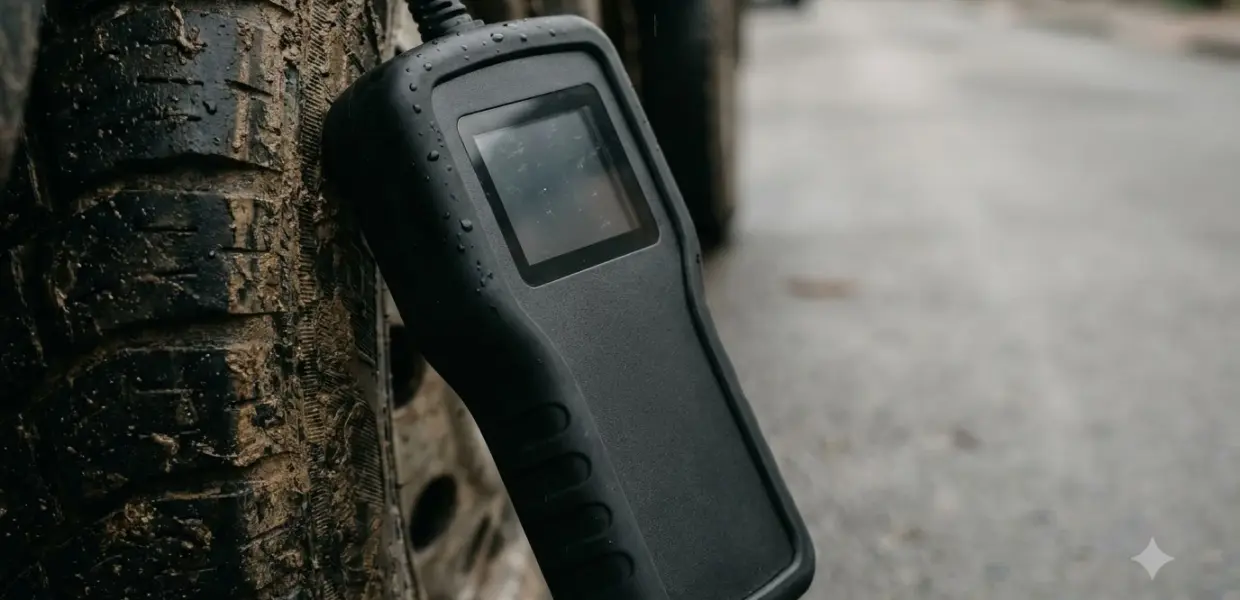

A scan tool with TPMS is an OBD2 diagnostic tool that can also read, reset or relearn tire pressure sensors. This roundup covers four tools and the checks that decide whether one will work on your car.
The right scan tool with TPMS depends on your sensor frequency, the relearn method your car needs, and whether you only need tire sensor work or a full diagnostic scanner too.
| Pick | Best for | Key fact |
|---|---|---|
| Autel MaxiTPMS TS508WF | Owners who want sensor data and mismatch checks | Lower price tier in the reviewer’s list |
| ATEQ VT57 | Shops that handle many vehicle models | Shop-grade price tier |
| Bartec TECH600PRO | Guided relearn over a wireless connection | Mid price tier in the reviewer’s list |
| XTOOL TP150 | Dedicated relearn and TPMS code work | Check the current vehicle list before buying |
What a Scan Tool with TPMS Does and Why the Light Comes On
A scan tool with TPMS reads, resets or relearns tire sensors, which a basic OBD2 reader cannot do. Most U.S. cars and light trucks built since September 1, 2007 must warn drivers when a tire falls 25 percent below recommended pressure.
The federal rule behind the light is FMVSS 138, and the federal TPMS rule text is public. The points that matter most for a buyer of any scan tool with TPMS are these:
- Coverage: passenger cars, multipurpose vehicles, trucks and buses rated at 10,000 pounds or less.
- Threshold: 25 percent below the manufacturer’s recommended cold inflation pressure, or a minimum set in the rule if that is higher.
- Timing: the warning must light no more than 20 minutes after a tire reaches the threshold.
- Location: the telltale sits inside the cabin, in front of the driver and in clear view.
The light tells you that a tire has dropped, and a portable tire inflator for roadside top-ups helps with the first fix. It does not tell you why, and it cannot show whether a sensor itself has failed.
A basic OBD2 code reader will not solve this. According to OBDAdvisor, a basic reader will never show TPMS module-side faults, because TPMS trouble codes need TPMS-specific software access.

The Best Scan Tool with TPMS Picks, One by One
Four tools come up most often in specialist reviews: the Autel MaxiTPMS TS508WF, the ATEQ VT57, the Bartec TECH600PRO and the XTOOL TP150. Price tiers below come from one reviewer’s list and change often, so check current listings.
Autel MaxiTPMS TS508WF: dedicated TPMS tool for sensor data
The Autel MaxiTPMS TS508WF suits owners who mainly want sensor data. One OBDAdvisor TPMS tool review lists it in its lower price tier. It reads sensor ID, pressure, temperature and battery status at the wheel, and it compares the IDs stored in the car’s computer over OBD to flag mismatches.
As a scan tool with TPMS, it handles sensor work well, but it does not replace a full diagnostic scanner for engine codes; see this OBD2 scanner buying guide for that job.
ATEQ VT57: shop tablet with TPMS reset on most models
The ATEQ VT57 is a shop-grade tablet, placed in the shop-grade price tier in the same review. The reviewer says it performs TPMS reset via OBD on more than 90 percent of vehicle models, and that figure comes from the vendor, so confirm your model before you buy.
This scan tool with TPMS also retrieves and clears TPMS trouble codes and offers part-number lookup, which helps a shop that handles many makes.
Bartec TECH600PRO: guided relearn over a wireless link
The Bartec TECH600PRO is a scan tool with TPMS that sits in the mid price tier, and it uses a guided process called RITE-SYNC for relearns. It connects through a wireless vehicle communication interface, which suits people who want step-by-step guidance instead of working out each relearn step alone.
XTOOL TP150: dedicated relearn tool
The XTOOL TP150 is sold as a dedicated TPMS relearn and code tool, and its listing describes OBD and stationary relearn methods. This article did not confirm its coverage figures, so check the current vehicle list before you buy.

Reasons to buy
- Quick Mode and Advanced Mode for different jobs
- Programs both 315MHz and 433MHz Autel MX-sensors
- Activates and relearns OE and aftermarket TPMS sensors
- Wi-Fi updates and TPMS diagnosis
Reasons to avoid
- Dedicated TPMS tool only, not an engine scanner
- Programming works best with Autel MX-sensors
- Costs more than basic tire pressure tools

Reasons to buy
- Four relearn modes: automatic, OBD, stationary and copy sensor
- Programs, activates and diagnoses TPMS sensors
- Shows real-time TPMS data for all four tires
- Suited to both DIYers and technicians
Reasons to avoid
- TPMS tool only, not an engine scanner
- Sensor compatibility varies by vehicle
- Learning curve for first-time users
Best OBD2 Scanner with TPMS: Features to Check Before You Buy
Sensor frequency is the first check. North American vehicles typically use 315 MHz sensors, European and many Asian vehicles typically use 433 MHz, and a sensor on the wrong frequency will not relearn to the car.
Shoppers looking at an obd2 scanner with tpms should compare each scan tool with TPMS on the attributes below. Aftermarket replacement sensors come in both frequencies, so the frequency check applies to the new sensor too.
| Attribute | What to look for | Why it matters |
|---|---|---|
| Sensor frequency | 315 MHz, 433 MHz, or both | A wrong frequency will not relearn |
| Relearn method | OBD-write, stationary or drive-learn | Your vehicle decides which method works |
| Sensor data | ID, pressure, temperature and battery | Helps find a weak or mismatched sensor |
| TPMS codes | Read and clear | Clears stored TPMS faults after the repair |
| Tool type | Dedicated TPMS or full-system | Full-system adds engine and body codes |
| Price band | Current listing price | Prices change, so compare current listings |
How TPMS Relearn Works and Which Method Your Car Needs
A TPMS relearn registers each sensor ID with the car, and it uses one of three methods. The method depends on the vehicle, so check the tool’s vehicle list before you buy any scan tool with TPMS. If you own a Civic, this Civic TPMS relearn walkthrough shows what that relearn looks like on one specific car.
- OBD-write: the tool writes new sensor IDs directly to the car’s computer.
- Stationary training: a training sequence is run at each wheel.
- Drive-learn: the car is driven at a set speed for a set distance.
The source does not give a fixed speed or distance for drive-learn, so the owner’s manual or the tool’s procedure is the place to check. Set each tire to the placard pressure before you start, and the tire gauge accuracy test results show which gauges read true.
Common Mistakes When Buying a TPMS Scan Tool
The most common mistake is buying a scan tool with TPMS without checking sensor frequency and vehicle coverage, since a wrong-frequency sensor will not relearn to the car. Four errors come up again and again. Read the vehicle list before you pay, and keep the receipt in case the tool does not cover your model.
- Skipping the frequency check: a 315 MHz sensor will not relearn on a car that expects 433 MHz.
- Expecting a basic OBD2 reader to handle TPMS: basic readers do not show TPMS module faults (compare what a basic code reader can do).
- Assuming a relearn fixes a bad sensor: a relearn registers sensors, but a failed sensor still needs replacing.
- Buying on price alone: prices change, so compare current listings and vehicle lists.
Dedicated TPMS Tool or Full-System Scanner: Who Should Pick Which
A dedicated scan tool with TPMS fits owners and shops that mainly handle tire sensors, while a full-system scanner fits people who also need engine and body codes. Pick by the job you do most often.
A dedicated scan tool with TPMS, such as the Autel MaxiTPMS TS508WF or the Bartec TECH600PRO puts sensor reading and relearn work first. A full-system scanner covers more systems (see bidirectional scan tools for a home garage), and some list TPMS reset among their functions, but support varies by vehicle, so verify your model first.
A home mechanic who changes tires or swaps sensors a few times a year may find a dedicated tool enough. A shop that handles many makes will get more from a tablet such as the ATEQ VT57. Neither choice works for every car, so check the vehicle list first.
Frequently Asked Questions
Can a regular OBD2 scanner reset the TPMS light?
A regular OBD2 code reader usually cannot see TPMS module faults, because TPMS trouble codes need TPMS-specific software access. Some full-system scanners list TPMS reset among their functions, but support varies by vehicle, so check the vehicle list before you buy.
Do I need to relearn sensors after a tire rotation?
It depends on the vehicle and the sensor setup, so no single answer applies to every car. After a sensor swap or a change in sensor position, a relearn is usually needed, so check the owner’s manual for your car’s requirement.
What frequency do TPMS sensors use?
North American vehicles typically use 315 MHz sensors, while European and many Asian vehicles typically use 433 MHz. A sensor on the wrong frequency will not relearn to the car, so match the frequency before you buy any scan tool with TPMS.
Is a dedicated TPMS tool better than a full-system scanner?
A dedicated TPMS tool is built for sensor reading and relearn work, so it usually fits owners and shops that mainly handle tire sensors. A full-system scanner fits people who also need engine and body codes. Neither is better for every car.
Which relearn method does my car need?
The method depends on the vehicle: OBD-write, stationary training or drive-learn. Look up your make and model in the tool’s vehicle list, or check the owner’s manual for the relearn procedure before you start.
Before you buy any scan tool with TPMS, confirm the sensor frequency and vehicle coverage. Then choose a dedicated TPMS tool if sensor work is your main job, or a full-system scanner if you also need engine codes. Compare current listings before you buy, since reviewer prices change.